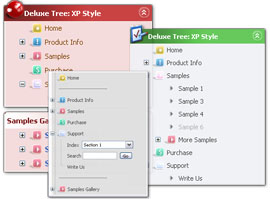
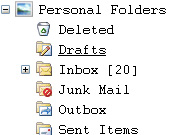
Floating Menu Tree - When the page is scrolled the menu remains visible (parameter: var tfloatable). Try to scroll the page. - The menu can "float" along one or two coordinate axes with different speed (parameters: var tfloatableX, var tfloatableY, var tfloatIterations).
Key features:
- Filters and Transitional effects - Relative/Absolute menu position - Items with icons - Submenus have a fade effect - Inactive/Disabled items - different speed for an animation for submenus - Image arrows - Unlimited number of sub levels
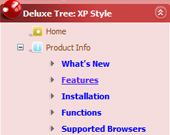
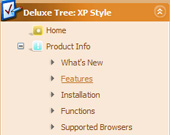
Menu Screenshots Open Source Html Tree Menu Scripts
Good navigation is an important step to website success. If people can't find their way around the site, they will quickly give up looking and leave, never to return. So, it's absolute vital that your website has a fast, neat, and eye-pleasing navigation. Don't allow your website visitors to get lost. Try Javascript/DHTML Tree Menu!
And create styles .home{ color: #FFFFFF;} .home:hover{ color: #FFBEBE;}
Q: I am trying to use Delux-menu for our project, I am not able to use dynamic features of drop down menu script. I will send the html file, where I am calling the java script.
I am getting the error dm_menu[mInd] has no properties.
A:You have one menu in your example, but you write:
function hide(vis) { dm_ext_changeItemVisibility(1, 0, 2, vis);
That is mean that you want to hide item in the second drop down menu script.
You should write:
function hide(vis) { dm_ext_changeItemVisibility(0, 0, 2, vis);
Q: How can I upgrade to JavaScript Tree Menu v2.0? Now I'm using v1.14.
A: How to upgrade to v2.00 --------------------------------------------------------------- You can download the licensed engine .js files from the same link in your license message. JavaScript Tree Menu v2.00 has new parameters and features. To upgrade to v2.00 you should do the following.
Step 1. 1.1 For Windows users a. Run Deluxe Tuner v2.0 (can be found in the trial menu package v2.0 http://deluxe-menu.com/deluxe-menu.zip). b. Open menu data file (.js file where menu parameters are placed): select File/Open… c. Save the file: select File/Save, then click "No" button when the dialog box appears.
1.2 For other OS users a. Open menu data file (.js file where menu parameters are placed) in a text editor. b. Make sure that the following variables exist in the data file:
var keystrokes = 0; var dm_focus = 1; var dm_actKey = 113;
var dynamic = 0; var smHideOnClick = 1; var itemAlignTop = 'left'; var smSmartScroll = 1;
var dmAJAX = 0; var dmAJAXCount = 30; var dmRTL = 0; var dmObjectsCheck = 0; var menuBackRepeat = "repeat"; var menuHeight = ""; var transDuration2 = 200;
If one of the variables doesn't exist - add it at the beginning of the file.
c. Save the file.
Step 2. Now open HTML-page that contains JavaScript Tree Menu.
Step 3. Replace existent tags of the menu by the following code:
Step 4. Save HTML-page.
Step 5. New engine v2.00 has 7 .js files. They are: - dmenu.js - dmenu4.js - dmenu_add.js - dmenu_dyn.js - dmenu_key.js - dmenu_cf.js (new v2.00) - dmenu_popup.js (new v2.00)
Replace all old .js files by the files from v2.00.
Try that.
Q: I have one more question before I purchase alicense: is there a way to use images instead of text as the menu items?
A:Yes, you can create image-based menu.
If item text is empty, icon fields will be used as item images. For example: ["", "index.html", "itemImageNormal.gif", "itemImageOver.gif", "Home Page"]
Dhtml javascript treemenu page one SitePad Pro, Likno Drop Down Menus Trees, Deluxe Tree, Apycom DHTML Menu, Xtreeme SiteXpert Standard Edition, Art HTML Listing, Sothink Menu Builder suite,
Ron Savage's Perl Scripts Collection scripts with descriptions. html. This is an article on the interpolation behaviour of Perl in double-quoted strings by Jason King. He doesn't have a web site
JavaScript Search: Navigation JavaScript Search is your source for hundreds of free JavaScripts and JavaScript related information, including scripts, tutorials, FAQ's, tips, and much more.
EasyPHPScripts.com-PHP-String Manipulation - Free Open Source PHP Scripts and Code Snippet Library Remove Tree And Files. Recursive Delete with Search. I mainly wrote for cashe delete, but it uses glob so it
Netvouz - java bookmarks by hamzaz in `Open Source > Java 02 with dhtml dynamic java library openscriptssource website javascript menu menus navigation popup site tree treemenu web website
Dhtml javascript treemenu page one SitePad Pro, Likno Drop Down Menus Trees, Deluxe Tree, Apycom DHTML Menu, Xtreeme SiteXpert Standard Edition, Art HTML Listing, Sothink Menu Builder suite,
Archive for the Menu & Navigation' Category Free Web Resources Everyday - WebResourcesDepot ProtoFish is an advanced dropdown menuscript which supports multilevel navigations & built with Prototype.